PhotosUP® Gallery-Boards Instantly Changeable Photo Exhibit
Neatly arranging, rearranging and displaying photos was never as fast and easy as PhotosUP®. Display a photo gallery as fast as you can move your hands. No tacks, tapes, adhesives, frames or magnets: just a PhotosUP® clear-pocket board, snap-shot sized photos and your imagination. Patented
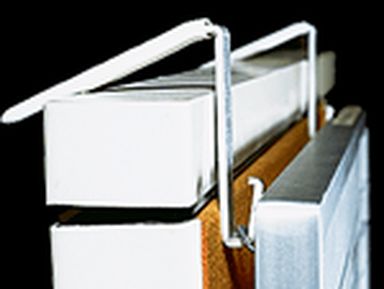
3" deep overlapping crystal-clear transparent slot-pockets spaced 1" apart extend the full width of the PhotosUP® board. Insert snap-shot sized photos anywhere on the board. Position, reposition, and slide them sideways until you get exactly the exhibit arrangement you want. The flat transparent slot-pockets hold the bottom 3" of the photo with the rest extending above the pocket, but you view the entire photo. Lift any photo off the board for closer viewing and reinsert it in any position. Photos remain undamaged. To add new photos, just reposition or remove the old ones to make more room.
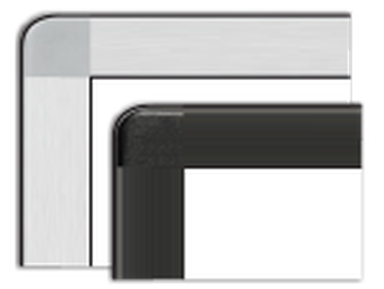
Available in 6 board sizes from 1-1/2' x 2' to 4 x 4' to accommodate almost any photo display requirement. They are ruggedly built, light weight and easy to display on the wall or easels. Each PhotosUP™ board comes with press-on removable photo caption labels in 1, 2 and 3 line sizes plus 2x8" cards for board or photo group titles. It also includes a card-keying template for neat photo captions.
Caution: PhotoUP® boards are designed for use indoors in normal room temperatures. Do not display PhotosUP® boards outdoors, in direct sunlight or in areas with excessive heat, cold or humidity.
Strengthens our relationship... We have the PhotosUP® board in our reception area in full view of everyone that comes in. After announcing themselves to our receptionist we find many clients studying our board. It serves many purposes. It is a marketing tool to show the depth and experience of our organization. It allows clients to establish relationships with more than one member of our firm. It puts a face to someone that they may have had a telephone conversation with a recent question. In some cases we hear “I didn’t know he or she worked here. I went to school with him”. It frequently strengthens our relationship.
Managing Partner — Certified Public Accounting Firm


 symbol before adding to your cart
 PHO-CD28-W