Magnatag InSight
The whiteboard and how it helps us brainstorm, innovate, motivate and create
RECENT BLOG POSTS
CATEGORIES
The Educators’ Choice: 8 Leading Whiteboards for Group Learning
Tue Dec 23 2025If you’re choosing the best whiteboards for interactive lessons and group learning, start with surface durability, visibility, and collaboration fit. For hands-on group work, Magnatag’s magnetic whiteboards deliver long-life, stain-resistant writing and robust accessory support. For hybrid and digital-first classrooms, smartboards like NearHub S55, Samsung Flip 2, Vibe Board S1, Promethean ActivPanel 10, SMART 6000S, and Microsoft Surface Hub 3 enable multi-user touch, cloud workflows, and video integration. For design-forward spaces or small-group stations, the Magnatag VisuGlass glass whiteboard and compact U Brands Contempo boards round out an efficient, classroom-wide toolkit. Across these eight picks, you’ll find group collaboration boards and customizable classroom whiteboards that adapt to your teaching style, scale to room size, and stand up to daily use so lessons stay interactive, organized, and easy to follow.
1. Magnatag Magnetic WhiteWall Whiteboard Walls
Magnatag WhiteWall panels are engineered for group learning with magnetic, porcelain-like steel surfaces that erase cleanly and stand up to daily use without ghosting or staining. The panels feature a unique four-sided bent edge, drawn corner design, making it easy to join multiple panels together to create a continuous writing surface that's perfect for group learning. One the durability front, porcelain whiteboard walls resist staining and ghosting, making them suitable for frequent use in offices and schools. Magnatag also offers a proprietary printing process on all dry-erase surfaces, supporting custom layouts, grids, schedules, and subject-specific visuals that accelerate instruction and reduce setup time for group activities. A magnetic whiteboard is defined as: “A magnetic whiteboard has a steel surface that allows magnets to adhere, making it possible to display papers and use magnetic accessories for planning and presentation.” For collaborative classrooms, Magnatag’s durable surfaces plus write-on magnets, cardholders, and status indicators turn walls into flexible, reconfigurable learning hubs.
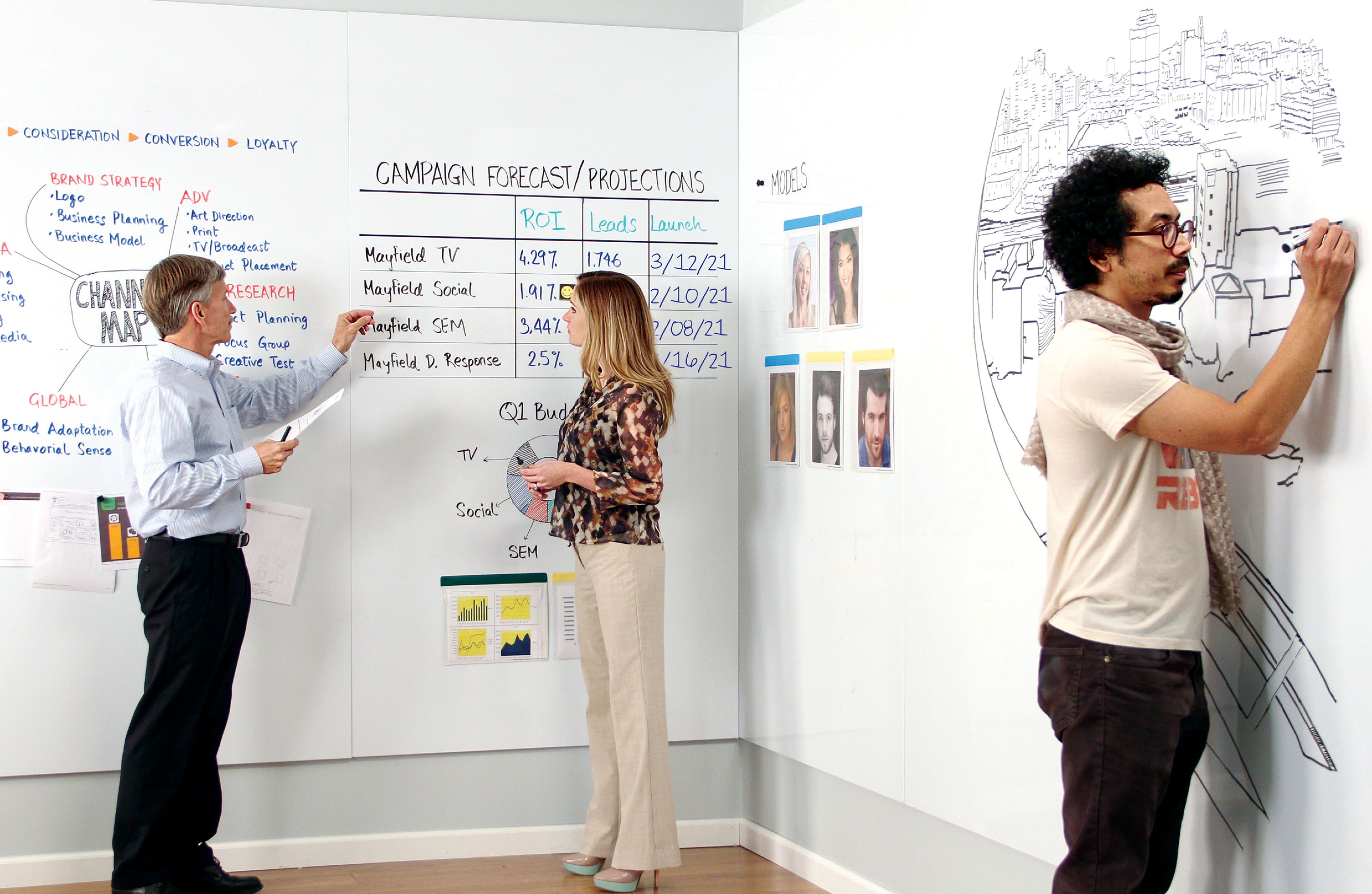
Key Takeaway: Magnatag’s magnetic porcelain boards combine durable, stain-resistant surfaces with custom printing and magnetic accessories for flexible, reconfigurable group learning spaces.
2. NearHub S55 Touch Screen Smart Whiteboard
NearHub S55 brings a 55-inch 4K touch display with built-in video call integration that can replace separate projectors and webcams for hybrid teaching, simplifying setup and student participation. A smartboard is defined as: “A smartboard is an interactive digital whiteboard that combines touch input, display, and connectivity features to enable real-time collaboration and multimedia integration during lessons.” For project-based collaboration and remote participation, the S55’s onboard apps, screen sharing, and cloud saving keep groups aligned whether students are in the room or joining from home. For budgeting, factor total cost of ownership against saved hardware (projector, camera, speakers) and efficiencies in switching between content, live annotation, and breakout group sharing.

Key Takeaway: The NearHub S55 consolidates display, video, and interactive tools into a single 4K touch screen, streamlining hybrid classroom setups and collaborative workflows.
3. Magnatag VisuGlass Glass Whiteboard
Magnatag’s VisuGlass Glass Board offers a frameless, modern look that elevates professional learning spaces while delivering a smooth, non-porous surface that resists stains and scratches under frequent use. Its high-contrast writing clarity benefits group exercises that demand visibility across the room, and the edge-to-edge glass feels premium in design studios, STEAM labs, and executive classrooms. Because glass can reflect light and sometimes shows streaks after cleaning, place the board away from direct glare and use recommended cleaners and microfiber cloths for consistent clarity, as glass whiteboards can be prone to streaking while still offering premium durability and aesthetics.

Key Takeaway: The VisuGlass Board provides a sleek, high-contrast writing surface ideal for visibility-intensive group work, with the trade-off of careful placement to avoid glare and streaking.
4. Samsung Flip 2 WM55R Digital Whiteboard
Samsung’s Flip 2 combines UHD picture quality with responsive inking and supports up to four simultaneous users, enabling small groups to co-create diagrams, solve problems, and annotate media-rich content in real time. Its smart rotation allows quick switching between portrait and landscape, so teachers can adapt canvases to reading- or math-friendly layouts and shift from full-class instruction to team tasks without technical delays. With a familiar stylus experience, image import tools, and easy content export, the Flip 2 works well for tech-driven lessons and on-the-fly collaboration where students contribute ideas at the board with minimal friction digital board overview.

Key Takeaway: Samsung Flip 2 enables up to four users to simultaneously annotate a high-resolution display, making it a strong choice for small-group, tech-enhanced collaboration.
5. Vibe Board S1 Cloud-Native Collaboration Whiteboard
Vibe S1 is built for digital-first classrooms, with a 4K touchscreen, infinite canvas, and a broad app ecosystem that streamlines lesson planning, screen sharing, and real-time co-creation with students on any device. Its cloud-native design keeps content synced and accessible, which means teachers can prep at home, teach in class, and share annotated boards with absent students for continuity. In practice, the S1 works best where cross-app workflows matter—such as blending slides, web content, and whiteboarding into a single, exportable artifact students can revisit for study and reflection.
Live multi-user editing on an infinite canvas
Share boards to student devices and email as PDFs
Works with popular education and productivity apps
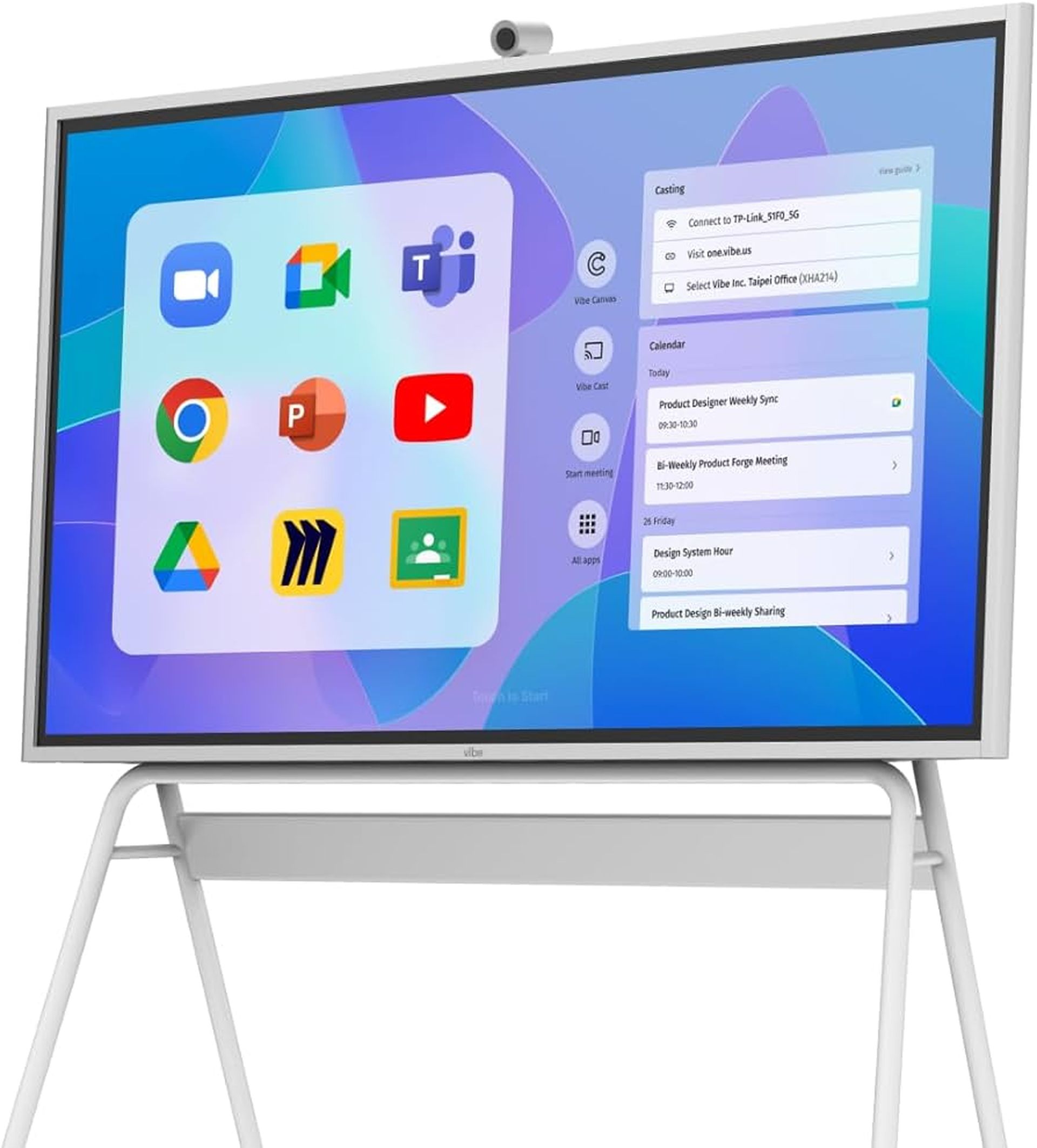
Key Takeaway: Vibe Board S1’s cloud-native infinite canvas and extensive app ecosystem make it ideal for seamless, multi-device collaboration and content sharing.
6. Promethean ActivPanel 10 Premium Interactive Whiteboard
Promethean’s ActivPanel 10 Premium focuses on teacher-centric design, pairing an interactive display with education software that promotes student engagement, quick lesson launches, and smooth assessment workflows for group learning. As an interactive whiteboard—an interactive display that supports multi-touch input, digital ink, and integrated educational tools to enable collaborative learning—it works reliably under daily classroom demands and integrates cleanly into existing curricula. Schools value the balance of robust hardware and familiar teaching workflows that reduce setup time and keep groups on-task, especially when mixing annotation, media, and student device participation in one session smartboard cost context.
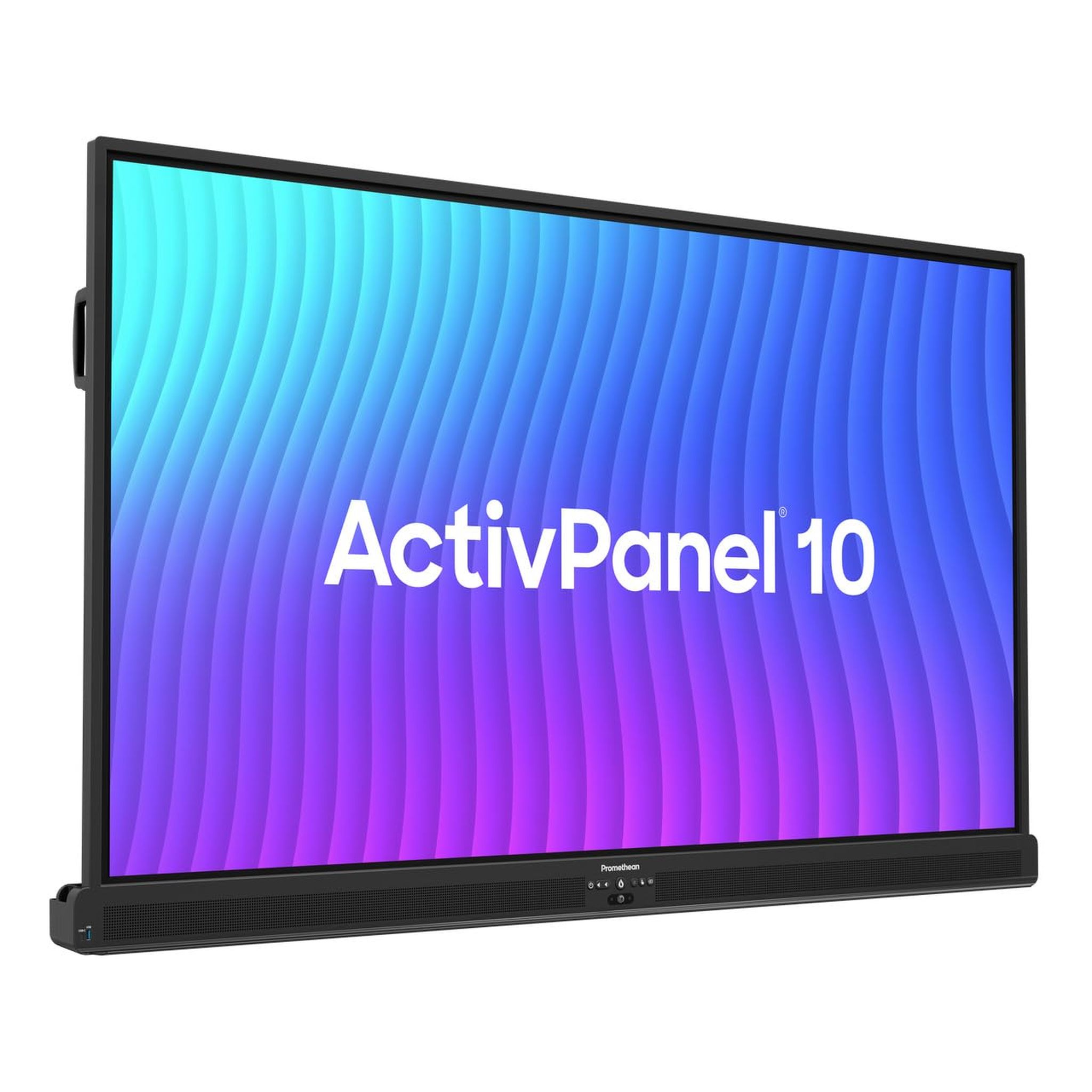
Key Takeaway: The ActivPanel 10 blends sturdy hardware with education-focused software, delivering reliable multi-touch interaction for large-group collaborative lessons.
7. SMART 6000S Series Interactive Whiteboard
The SMART 6000S excels in multi-user environments, supporting up to 20 simultaneous touch points for group brainstorming, collaborative math work, and station-based activities that invite everyone to contribute. Its flexibility for hybrid instruction allows teachers to combine local annotation with screen share to remote students, while tight integration with education software and student devices streamlines formative assessment and group check-ins. In classrooms that rotate between whole-group instruction and team tasks, the 6000S’s accuracy, palm rejection, and content-sharing options help keep students engaged without wrestling with tools or cables.

Key Takeaway: SMART 6000S supports up to 20 touch points, making it a powerful platform for large-scale, hybrid, and station-based collaborative activities.
8. Microsoft Surface Hub 3 Premium Digital Whiteboard
Surface Hub 3 is a premium collaboration device for advanced or enterprise education settings, offering seamless Microsoft 365 and Teams integration, studio-quality microphones and cameras, and a large format display with top-tier build quality. It’s ideal for hybrid teams, cross-department planning, and leadership meetings that require whiteboarding, content co-authoring, and video conferencing in one appliance with minimized IT overhead. Pricing starts at about $9,499 for the 50-inch model, so institutions should evaluate ROI by weighing utilization across faculty rooms, innovation labs, and executive education programs alongside reduced setup time and consolidated hardware.

Key Takeaway: Surface Hub 3 integrates Microsoft 365 tools with a high-quality display and audio, delivering an all-in-one solution for premium hybrid collaboration.
Key Features to Consider When Choosing Whiteboards for Group Learning
When selecting whiteboards for group learning, evaluate surface quality, visibility, collaboration features, size, mounting, and digital integration so your tools support the way your class works. Prioritize anti-glare, easy-clean surfaces that resist ghosting, since smudged or reflective boards slow group flow and cause rework during busy lessons. For organization-heavy classrooms, magnetic functionality enables rapid switching between writing and posting materials, while cloud-connected boards sustain hybrid and asynchronous collaboration.
Surface: anti-glare, smooth, ghosting-resistant
Size: match board width to viewing distance and group count
Mounting: fixed wall vs. mobile/freestanding needs
Magnetic: use write-on magnets, labels, cardholders
Touch: multi-user input, palm rejection, latency
Integration: video, cloud apps, device casting
Durability: scratch resistance, warranty, replacement cycles
Cleaning: approved cleaners, microfiber, maintenance routines
Usability and Collaboration Support
Usability refers to how easy and intuitive a whiteboard is to use, including how quickly it erases, its resistance to glare, and how well it supports group activities. High-visibility writing, smooth inking, and fast, residue-free erasing keep groups focused on content rather than fighting the surface or tools. Key usability features include anti-glare finish, strong ghosting resistance, smooth writing feel, and magnetic compatibility that allows quick transitions between freehand work and posted reference materials; the wrong choice causes glare and ghosting frustration that slows participation and undermines lesson momentum.
Durability and Surface Material
Durability starts with surface composition, which determines how boards handle daily erasing, marker ink, and incidental contact over time. Porcelain enamel over steel typically delivers the longest life and best erase performance; glass offers premium clarity and scratch resistance; melamine serves budget or light-use needs with tradeoffs in stain resistance. Focus on surface warranty length and expected replacement cycles to gauge long-term value, especially in high-traffic classrooms where frequent cleaning is the norm and boards must stay legible from the back row.
Definition—Ghosting: “Ghosting is the faint residue left behind after erasing dry-erase marker ink, often resulting from repeated use on low-quality surfaces.”
Size and Mounting Options
Size and mounting should match how you teach and how your students collaborate, balancing viewing distance, group count, and room layout. Large wall boards (4' × 6' or bigger) are best for whole-class instruction, while mobile boards or small group boards enable flexible breakouts and rapid room reconfiguration. Portable whiteboards are lightweight, mobile, and often double-sided, suited for training rooms and flexible spaces vibe materials guide. Use a quick test: if students frequently rotate stations, pick mobile or multiple small boards; if most work is whole-class, prioritize a wide, fixed board visible from every seat.
Integration with Digital and Hybrid Learning Tools
A hybrid learning whiteboard seamlessly links in-person and online participants with integrated video, screen sharing, and real-time editing, ensuring remote students can co-create and follow along. Prioritize models with native conferencing, low-latency touch, and robust cloud saving to keep content portable across classes and LMS platforms. Consider licensing costs and app ecosystems to avoid hidden hurdles, and match integration depth to your daily workflows—e.g., Teams-centric schools may favor Surface Hub, while app-agnostic classrooms might choose Vibe or Samsung Flip for broader compatibility.
Magnetic Functionality and Accessory Compatibility
Magnetic functionality enables fast transitions from writing to display, turning boards into visual management centers where groups can post data, rotate roles, and track progress at a glance. Magnetic functionality means the steel surface holds magnets so teachers can use write-on magnets, color signals, index-card holders, and document clips for planning, feedback, and presentations. Recommended classroom accessories include pre-printed grids, task/status magnets, calendar strips, numbered markers, and student job cards; with these, teachers can instantly switch from demonstration to structured group work without re-drawing frameworks.
Benefits of Using Customized Magnetic Whiteboards in Education
Customized magnetic boards, such as those from Magnatag, improve learning outcomes by making expectations, workflows, and group roles visible and actionable at the point of need. Visual schedules, seating charts, project trackers, and color-coded job boards promote participation and accountability while reducing transition time between activities. “Customized magnetic whiteboards allow teachers to instantly adapt visual management tools for lesson planning, group rotation, and collaborative activities.” For example, math grids standardize problem setups for teams, milestone trackers pace long-term projects, and student job charts distribute roles for lab safety and equitable participation; explore designs and classroom tactics in Magnatag’s resources on whiteboard and whitewall ideas and ways to study with a whiteboard.
Frequently Asked Questions
What features make a whiteboard ideal for group learning and interactive lessons?
The best classroom whiteboards combine a smooth, ghosting-resistant surface, high visibility from all seats, and a generous writing area so multiple ideas can coexist without erasing too soon. Magnetic compatibility adds powerful organization—teachers can post printouts, use write-on magnets, and rearrange tasks mid-lesson to support dynamic, student-led collaboration. For hybrid learning, multi-touch and integrated video tools keep remote students engaged, but even in analog settings, durability, easy cleaning, and anti-glare finishes are what preserve flow and reduce downtime during fast-paced group activities.
How do digital whiteboards compare with traditional magnetic dry-erase boards for classroom collaboration?
Digital whiteboards excel at real-time, multi-location collaboration, integrating video calls, screen sharing, and cloud saving so students can co-create and review from anywhere. Traditional magnetic boards shine for hands-on group work, offering frictionless writing, instant setup, and tactile visual management with magnets, cards, and color signals. Most schools benefit from both: a durable magnetic porcelain board for everyday group instruction and station work, paired with one or two smartboards where remote participation, multimedia annotation, or recorded walkthroughs are essential to lesson goals and accessibility.
What is the best whiteboard size for small groups versus full-class instruction?
For full-class visibility, choose large wall boards of at least 4' × 6'—and go wider for deep rooms or when you regularly park multiple group solutions side by side. For small groups and tutoring, distribute personal or pod-sized boards so all teams write at once, then consolidate highlights onto the main board for synthesis. If your classroom frequently reconfigures, consider mobile, double-sided boards to roll between stations; if instruction is mostly frontal and stable, a fixed, wide board optimizes sightlines and minimizes shadowing from projectors or lighting.
How can I prevent ghosting and staining on classroom whiteboards?
Start by choosing a high-quality surface such as porcelain enamel steel or glass, which is more resistant to staining and ghosting than melamine. Use low-odor, reputable dry-erase markers and clean with approved solutions and microfiber cloths at the end of each day to prevent ink from curing; avoid abrasive cleaners that can damage coatings. For persistent marks, apply a purpose-made whiteboard cleaner or conditioner according to the manufacturer’s guidance, and schedule periodic deep cleans; establishing student routines for erasing between activities also reduces buildup.
Are mobile or double-sided whiteboards recommended for dynamic group settings?
Yes, mobile or double-sided boards are excellent in flexible classrooms that rotate groups and activities, because they provide writable space precisely where it’s needed and maintain continuity when moving between tasks. Double-sided surfaces effectively double real estate for parallel work, while rolling frames allow teachers to reposition boards to reduce glare or open floor space for demonstrations. For schools with multi-purpose rooms, mobile boards complement a main wall board, enabling simultaneous collaboration across teams with minimal setup time and fewer interruptions.
Last updated: 2025