Magnatag InSight
The whiteboard and how it helps us brainstorm, innovate, motivate and create
RECENT BLOG POSTS
CATEGORIES
General Business
Blog posts that relate to general business tips, tricks and data that help our customers and readers.
How to Eliminate Scheduling Chaos with the Right Business Calendar
Fri Jan 16 2026Scheduling chaos isn’t a software problem—it’s a visibility and process problem. The fastest path to calm is choosing a business calendar model that matches how your team actually works, then standardizing bookings, protecting focus time, and automating administrative tasks. The “top calendars for business use” aren’t just apps; they’re the right mix of unified views, sync services, and visible planning boards that your people will actually follow. Securing buy-in is one of the most challenging components of getting your team set up with a calendar system. Some people use it, others ignore it, and some forget it exists! To make a business calendar work in practice, you need to know where to start. Below, we outline a proven, research-backed system that can help teams of all sizes—digital where automation wins, and visual where team alignment needs a large, always-on display. As a manufacturer of durable whiteboard calendars, Magnatag combines long-life, porcelain-like steel surfaces with modular layouts to complement digital tools in shared spaces, so your team can see the plan at a glance and adhere to it.
Audit Your Current Scheduling System
Start with a calendar audit—a systematic review of all scheduling tools, events, and workflows to expose inefficiencies or conflicts. This reveals fractured visibility across accounts and apps, a common root of calendar chaos highlighted in practical calendar management guidance.
Inventory every source of meetings and events:
List all calendars, accounts, and owners (work, personal, clients, rooms, resources).
Capture meeting types, recurring appointments, and external booking sources (links, email requests, front desk).
Note why any calendars must stay separate (HR policy, department silos, client contracts).
Flag double-bookings, missed handoffs, or recurring conflicts.
Use a simple table to structure your audit data and quantify where problems occur:
If you need a deeper walk-through, see our guide to calendar scheduling organization for business.
Choose the Right Calendar Model for Your Business
Your model sets the rules for visibility, access, and compliance—much more than the app, system, or brand you choose to work with. Most teams succeed with one of three approaches:
Unified calendar platforms: “A unified calendar is a single view that aggregates events from multiple accounts without merging data.” This improves awareness while preserving necessary separations.
Calendar sync services: “A sync service keeps different calendars in lockstep with two-way updates, so edits propagate everywhere and conflicts are caught.” This prevents double entry and misalignment.
Dedicated shift scheduling platforms: For operations, retail, healthcare, or field teams, shift scheduling tools add compliance, labor rules, and supervisory control—crucial for fair rotations and audits.
Decision guide:
For shared spaces, pairing digital tools with a large, visible whiteboard makes priorities tangible. Teams regularly use Magnatag’s 12-month GiantYear planning calendar or YearMaster timeline calendar to keep goals and deadlines front-and-center between standups and shift changes.
Standardize Meeting Types and Booking Procedures
Standardization reduces back-and-forth and makes intent obvious:
Define named appointment types and booking pages (e.g., Intro Call, Client Review, Deep Work Block). This helps routing and sets expectations.
Use a color-coded calendar or simple icons to mark priorities and meeting types; color cues speed visual processing and reduce cognitive load, improving quick scanning according to research on organizational calendars and visual workflows.
A booking link is a shareable URL that lets others reserve open slots directly, minimizing email ping-pong and errors.
Practical rollout:
List your standard meeting types with duration, prep needs, and participants.
Create a booking page for each, with buffers and limits.
Ensure each link checks availability across connected calendars before booking.
Publish links in email signatures, CRM templates, and your website’s “Book a meeting” page for consistent meeting management.
Protect and Prioritize Your Time Effectively
Defend your day by scheduling the work that matters:
Time blocking reserves segments for deep tasks and protects against stray meetings. Productivity guidance shows this approach steadily reduces chaos and context switching.
Use the Eisenhower Matrix to distinguish urgent vs. important; schedule only high-value, important work, and downgrade busywork.
Add buffer time—short gaps before/after meetings—to absorb overruns and transitions without cascading delays.
Set a daily cap on meetings and color-code focus time vs. collaborative time.
For teams onsite, a wall calendar showing “focus mornings” or “no-meeting Wednesdays” serves as a strong social cue that reinforces boundaries as much as policy.
Automate Booking, Confirmations, and Notifications
Automation eliminates manual steps and cut-and-paste errors:
Integrate scheduling link tools (e.g., Calendly, YouCanBookMe, Google Appointment Schedule) that verify availability across connected calendars before permitting bookings, as outlined in this roundup of tools that fix multi-account calendar chaos.
Lean on automatic confirmation—calendar-generated emails or SMS reminders—to reduce no-shows and confusion.
Quick setup checklist:
Choose a tool and connect all relevant calendars.
Create booking pages with buffers, caps, and minimum notice.
Turn on confirmations and reminders for hosts and attendees.
Route bookings to the right calendars and Slack/Teams channels.
Test with internal users, then roll out to clients.
Comparison snapshot:
Use AI and Human Assistance to Optimize Scheduling
As complexity grows, layer in assistance—machine or human:
AI calendar assistants like Motion or Clockwise automate calendar optimization: they schedule, reshuffle, and protect focus time using rules and natural language, as covered in this review of the best meeting scheduler software.
Virtual receptionists and human schedulers handle edge cases, prevent double-bookings, and uphold compliance and personal touch—especially for healthcare, legal, or field services where context matters, as explained by providers of virtual receptionists.
When to choose which:
Use an AI calendar assistant for high-volume, rules-based calendar optimization and rapid rescheduling.
Use a virtual receptionist for nuanced client interactions, intake, triage, and policy-heavy scheduling.
Combine both for 24/7 booking with human oversight for exceptions.
Conduct Regular Reviews to Maintain Scheduling Efficiency
Initial setup isn’t the finish line. A weekly scheduling review keeps your system healthy and adaptive:
Agenda: scan next 2–3 weeks for conflicts, capacity bottlenecks, or policy breaches; check booking link performance and no-show rates; adjust buffers and caps.
Data to collect: double-bookings, average meeting length, focus-time protection, lead time on invites, and reschedule frequency.
Red flags: repeated overbooking, meetings without agendas, or shrinking focus time.
Actions: tighten booking rules, refine meeting types, or rebalance workloads. Consistent reviews improve scheduling efficiency and sustainable workflow improvement, a best practice echoed across productivity guidance.
Set a recurring calendar event to conduct this scheduling review—then keep it sacred.
Frequently Asked Questions
What type of calendar should I use for my business?
Use a hybrid: digital apps for remote coordination and travel, plus a visible wall or desk calendar to align on-site teams at a glance. Unified views or sync services help separate work and personal while preventing conflicts.
How do I set up an effective calendar system?
Create distinct work and personal calendars, define meeting types with booking pages, and use color-coding to clarify priorities. Plan your day in advance and reserve focus time.
How can I prioritize tasks and block time to avoid overload?
Time block high-value work, use an urgency/importance filter like the Eisenhower Matrix, and add buffer periods to absorb overruns and surprises.
What are best practices for team calendar management?
Block shared focus windows, require agendas and prep, standardize booking links, and maintain shared visibility to balance workloads.
How does an assignment calendar help reduce team chaos?
Assignment calendars centralize tasks, deadlines, and ownership, improving transparency, reducing conflicts, and speeding delivery. Magnatag’s visual tools can enhance this visibility further.
Why 2025 Is the Year to Upgrade Your Office Magnetic Whiteboard
Wed Oct 29 2025The modern workplace is experiencing a fundamental shift in how teams collaborate, plan, and communicate. As hybrid work models become the new standard and visual collaboration takes center stage, traditional office tools are struggling to keep pace. The year 2025 represents a pivotal moment for organizations to embrace magnetic whiteboards: many companies are juggling return to office mandates and remote employees. Identifying versatile tools that combine writing surfaces, unique tailored designs, and magnetic functionality can help support dynamic, interactive teamwork as organizations begin to normalize in-person work. Unlike conventional whiteboards, magnetic models offer dual functionality as both writing surfaces and pinboards, enabling teams to attach documents, notes, and visual aids directly to the board surface. With significant improvements in durability, design aesthetics, and technological integration, upgrading to a modern magnetic whiteboard system isn't just an improvement: it's an essential investment in your team's collaborative success.
Evolving Office Environments and Collaboration Needs
The workplace transformation of recent years has fundamentally altered how teams interact and share ideas. Hybrid work models have created a demand for shared, adaptable spaces where both in-person and remote team members can engage in meaningful visual collaboration. Traditional static boards no longer meet the complex needs of modern teams who require dynamic tools to support multiple communication styles simultaneously. Culture is unique to every organization, and having a tool that accurately reflects the values and processes that matter most to your organization is a non-negotiable in today's workplace.
Collaborative planning tools have become essential infrastructure for effective teamwork. These tools, designed to support group discussion, project management, and shared idea development, must accommodate rapid information exchange and visual organization. Magnetic whiteboards thrive in collaborative business environments by combining flexible workspaces with a defined purpose, allowing teams to workshop ideas, projects, and notes, in a way that's designed to encourage efficiency and interaction.
The shift toward hybrid work has particularly highlighted the need for office visual systems that can bridge physical and digital workflows. Teams need surfaces that can display project timelines, hold reference materials, and provide space for real-time brainstorming—all while maintaining the flexibility to adapt as project needs evolve. Modern magnetic whiteboards, like those from the team here at Magnatag, serve as central command centers for these collaborative activities, supporting the visual communication patterns that drive successful hybrid teams.
Advantages of Magnetic Whiteboards in Modern Workspaces
A traditional magnetic whiteboard is a dry erase board layered over a steel sheet, enabling magnets to affix documents and accessories directly to the surface. How the surface obtains it's dry-erase properties varies on a manufacturer by manufacturer basis. Some coat the steel in a porcelain enamel, while others use laminates and adhesives. This dual functionality creates significant advantages over traditional non-magnetic writing boards, positioning magnetic whiteboards as essential organizational and communication tools for contemporary offices.
The primary advantage lies in their versatility as both writing surfaces and pinboards. Teams can simultaneously write project notes, attach presentation materials, and display reference documents in a single, organized space. This capability enhances interactive presentations and maximizes organization, particularly during collaborative project work and strategic planning sessions.
Key use cases for magnetic whiteboards in modern offices include:
Brainstorming sessions where ideas can be written and supporting documents pinned for reference
Visual workflow tracking with magnetic cards and status indicators
Schedule displays that combine written information with attached documents
Project management hubs where timelines, notes, and resources coexist
Training environments where instructional materials can be both written and displayed
The magnetic functionality also enables rapid reconfiguration of information. Unlike non-magnetic boards where content is limited to what can be written, magnetic surfaces allow for quick attachment and removal of materials, supporting the dynamic nature of modern project work. Teams can easily reorganize priorities, update status displays, and incorporate new information without erasing existing content.
Durability and Quality Improvements in 2025 Whiteboards
Recent advances in whiteboard manufacturing have significantly improved the longevity and performance of magnetic surfaces. Modern magnetic whiteboards feature premium surfaces such as our proprietary MagnaLux formula, which delivers ultra-smooth erasability, resistance to staining, cracking, and fading. These improvements directly impact return on investment by reducing replacement costs and maintaining a professional appearance over extended use periods.
Erasability, the board's ability to be wiped clean without leaving stains, marks, or ghosting, even after frequent use, has also seen dramatic improvements in the last 20 years. Advanced surface treatments now prevent the marker absorption that previously caused permanent staining, ensuring boards maintain their professional appearance throughout their lifespan. You won't find this type of ghosting or stain protection in surfaces like laminate, wallpapers, or roll-on paints. For durability purposes, we recommend most buyers stick with a surface made from either porcelain or glass.
The widespread adoption of magnetic properties reflects their recognized value in professional environments. We estimate about 60% of whiteboards on the market today have magnetic properties, signifying their acceptance as the standard for quality and functionality. Many premium models have earned Department for Education approval, indicating they meet recognized quality standards for durability and performance.
These quality improvements make 2025 magnetic whiteboards a long-term investment rather than a recurring expense, supporting budget-conscious organizations while delivering superior functionality.
Technological Integration and Smart Features
Modern magnetic whiteboards increasingly feature technological integration. The inclusion of design elements, materials, or accessories that enhance compatibility with digital devices or smart learning initiatives. Features like printed grids optimized for projected content, mobile frames that support hybrid meeting configurations, and layouts specifically designed for digital documentation workflows, aren't inherently digital at their core, but pair excellently with outside technology stacks.
Integration with digital workflows follows a straightforward process:
Use magnetic boards for initial brainstorming and visual organization
Photograph or scan completed layouts for digital storage
Transfer key insights to digital project management tools
Use the board for ongoing status updates and team communication
Maintain synchronization between physical and digital information
This technological integration ensures that magnetic whiteboards complement rather than compete with digital tools, creating a comprehensive collaboration ecosystem that supports both spontaneous creativity and structured project management.
Design Trends Enhancing Office Aesthetics and Functionality
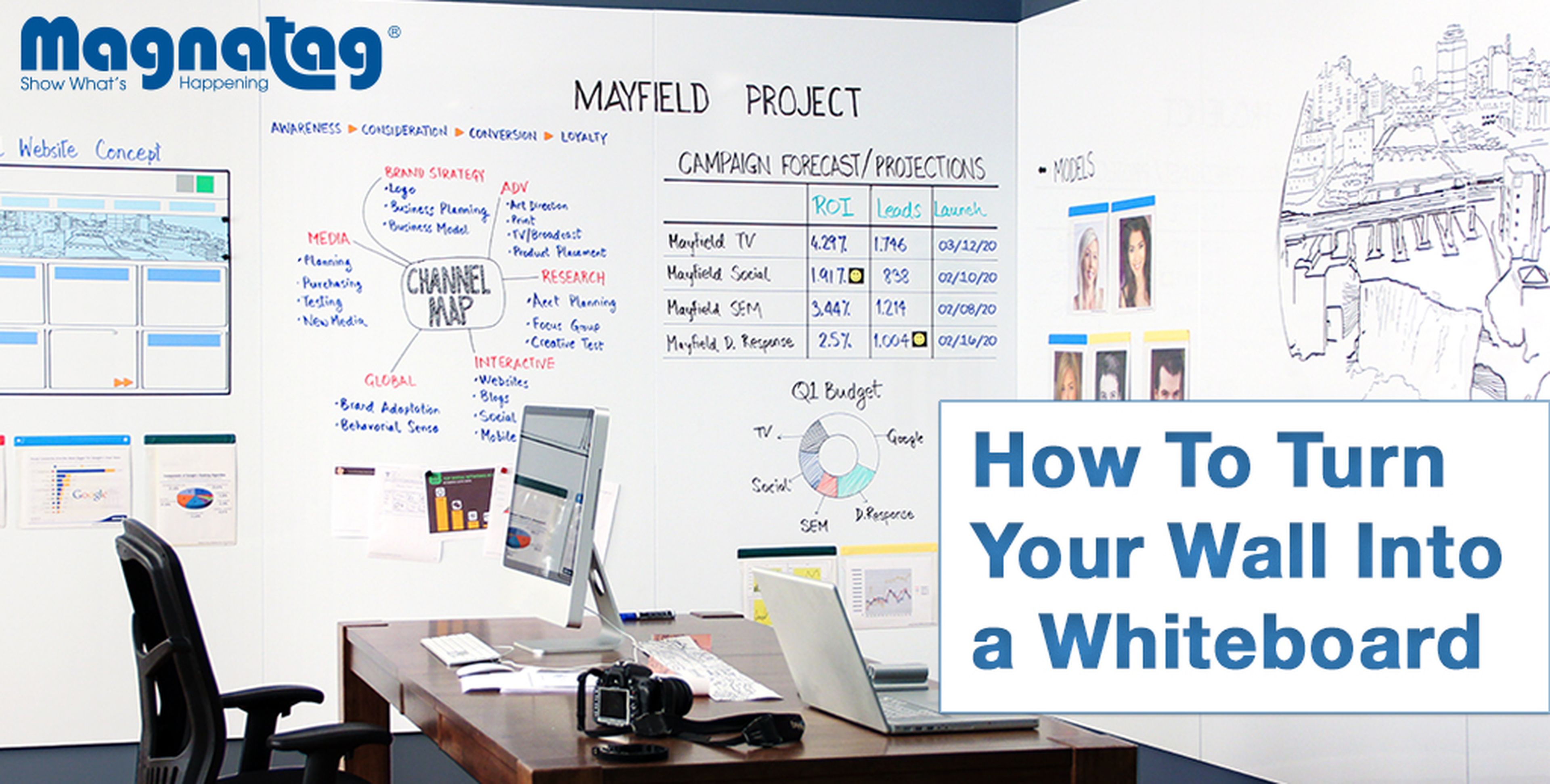
Contemporary magnetic whiteboards reflect significant design evolution, incorporating aesthetics and functionality to better serve the workplace at-large. Modern whiteboards feature frameless designs, sophisticated colors, and concealed mounting hardware for a clean, modern look that aligns with contemporary office design. Some manufacturers even offer a complete floor-to-ceiling dry-erase surface, elevating an entire wall into a hotspot for collaboration.
Beyond sizes and styles, custom-printed layouts represent a major advancement in whiteboard functionality. Organizations can now specify grid patterns, workflow templates, and branded elements that align with their specific operational needs. Magnatag's custom-printed layouts can incorporate company branding, project management frameworks, or specialized workflow requirements, creating tools that support tailored organizational processes.
Design upgrades available in 2025 magnetic whiteboards include:
Premium frameless designs
Concealed mounting systems for seamless wall integration
Custom grid patterns and organizational templates
Color-coordinated accessories and magnetic components
Mobile stands with locking wheels for flexible positioning
Modular systems that expand with organizational needs
These design improvements ensure that upgrading to a magnetic whiteboard enhances rather than disrupts office aesthetics, supporting the professional environment while delivering superior functionality.
Practical Steps to Upgrade Your Office Whiteboard
Assessing Your Current Whiteboard and Workflow
Begin your upgrade process by systematically evaluating your existing whiteboard's effectiveness and condition. Examine the surface for common wear indicators including ghosting (permanent marker shadows), staining, warping, or surface scratches that impede writing quality. Consider whether your current board facilitates effective team workflows or creates barriers to collaboration.
Conduct a workflow assessment by observing how your team currently uses visual communication tools. Note whether they frequently need to attach reference materials, display multiple information types simultaneously, or reorganize content during meetings. Document the frequency of board cleaning, replacement marker costs, and any user complaints about functionality.
Space utilization analysis is equally important. Measure your available wall space and consider whether your current board size matches your team's communication needs. Teams often discover that inadequate board space limits their collaborative potential, while oversized boards in small spaces can overwhelm the environment. Don't know where to start? Check out this quick guide on the best mounting height for your dry-erase board.
Selecting Durable and Multifunctional Magnetic Whiteboards
Choose boards that prioritize longevity through advanced surface materials and construction quality. Large magnetic coated steel whiteboards, such as full-wall models, meet high durability and usability standards while providing ample space for team collaboration. Focus on proprietary or steel-coated surfaces that offer enhanced durability and erasability compared to traditional melamine options.
Essential features for office magnetic whiteboards include:
Ample writing area appropriate for team size and meeting frequency
Strong magnetic strength capable of securely holding multiple documents
Custom-printed grids or templates that support your workflow processes
Integrated pen trays and accessory storage
Professional mounting hardware with concealed fixings
Warranty coverage that reflects manufacturer confidence in durability
Size selection should accommodate both team meetings and individual use. Consider modular systems that can expand as your organization grows, or mobile options that provide flexibility for different meeting configurations.
Accessorizing for Enhanced Usability and Engagement
Transform your magnetic whiteboard into a comprehensive collaboration system through strategic accessory selection. Essential accessories include magnetic card holders for project status tracking, colored magnets for visual organization, and eraser and marker caddies that keep supplies accessible and organized.
Ready-to-use solutions with included pen trays and wall fixings streamline initial setup and ensure immediate functionality. Consider printed overlays that provide structure for specific processes like project planning, schedule management, or workflow tracking.
Recommended starter accessories:
Magnetic document holders in various sizes
Color-coded magnetic indicators for status tracking
High-quality dry erase markers in multiple colors
Magnetic erasers that stay conveniently attached
Accessory caddies for organized supply storage
Custom magnetic templates for recurring processes
Facilitating Installation and Encouraging Team Adoption
Modern magnetic whiteboards feature concealed fixings and straightforward assembly processes that simplify installation. Many premium models include detailed mounting instructions and all necessary hardware, enabling quick professional installation without specialized tools or expertise.
Plan team training sessions to demonstrate new features and capabilities. Encourage experimentation with different organizational approaches to help team members discover optimal usage patterns.
Magnatag's reputation for short lead times and ease of ordering supports hassle-free upgrades, while their customer support ensures successful implementation. Consider scheduling installation during low-activity periods to minimize workflow disruption and allow time for team adaptation.
Frequently Asked Questions
What new features do 2025 magnetic whiteboards offer compared to older models?
Modern magnetic whiteboards deliver significantly improved writing surfaces with enhanced erasability and stain resistance. Advanced steel-coated surfaces prevent ghosting and maintain smooth writing performance throughout their lifespan. Many 2025 models feature double-sided functionality, adjustable mounting systems, and mobile frames that support flexible office arrangements. Custom printing capabilities allow organizations to incorporate workflow templates and branding directly into the board surface.
How do magnetic whiteboards improve collaboration and productivity?
Magnetic whiteboards streamline teamwork by combining writing surfaces with document attachment capabilities, enabling real-time organization of multiple information types. Teams can simultaneously write notes, pin reference materials, and display visual aids, creating comprehensive project command centers. This functionality reduces meeting preparation time, improves information retention, and supports more interactive planning sessions that engage all participants.
Why is upgrading to a magnetic whiteboard necessary in 2025?
The shift toward hybrid work models and collaborative planning tools makes magnetic whiteboards essential for modern offices. Traditional boards cannot support the dynamic information sharing required by contemporary teams who need to combine written content with attached documents, visual aids, and organizational materials. Advanced durability features in 2025 models also provide better long-term value compared to frequently replaced traditional boards.
Are modern magnetic whiteboards easier to maintain and more durable?
Yes, contemporary magnetic whiteboards use advanced surface treatments that resist staining, ghosting, and wear patterns that plague traditional boards. Steel-coated and proprietary surfaces maintain their writing quality for years rather than months, while improved materials resist cracking and fading. Many models feature surfaces that clean easily with standard dry erase cleaners, reducing maintenance time and costs.
What should I consider when choosing a magnetic whiteboard for my office?
Evaluate surface durability through material specifications, ensuring steel-coated or proprietary surfaces rather than basic melamine. Consider board size relative to your team's collaboration needs and available wall space. Assess magnetic strength capabilities for your document attachment requirements. Review available accessories and customization options that support your specific workflow processes. Finally, consider mounting options—wall-mounted for permanent installation or mobile for flexible positions.
Benefits of Using Whiteboards in Offices
Fri May 16 2025Whiteboards are a staple in many offices. They serve as a canvas for ideas, a platform for collaboration, and a tool for communication.
But why are they so popular?
One reason is their versatility. Whiteboards can be used for everything from project planning to team announcements. They're also reusable, making them an eco-friendly alternative to paper.
Another advantage is their visual appeal. Modern whiteboards come in various designs, from sleek glass boards to framed ones that complement office decor.
Lastly, they're cost-effective. Despite the initial investment, whiteboards can save money in the long run by reducing paper waste.
In this article, we'll explore these benefits in more detail and guide you on choosing the best whiteboard for your office.
The Versatility of Whiteboards in Office Collaboration
Whiteboards are incredibly versatile tools that enhance office collaboration. They provide a shared platform where team members can easily visualize ideas. Whether for brainstorming sessions or outlining strategic plans, whiteboards foster group participation.
They can be used for agile project management and stand-up meetings. Office whiteboards also assist in tracking progress and sharing updates, ensuring everyone is on the same page. Their flexibility makes them indispensable in dynamic work environments.
Eco-Friendly and Cost-Effective Communication
Using whiteboards for communication in offices presents an eco-friendly alternative to paper. This helps significantly reduce waste and supports sustainability efforts.
Additionally, whiteboards are cost-effective over time. Businesses save money on paper and printing supplies. This combination of sustainability and savings makes whiteboards a smart investment.
Enhancing Presentations and Meetings with Whiteboards
Whiteboards improve the quality of presentations and meetings by providing a visual platform that aids comprehension. Presenters can illustrate complex ideas more effectively.
Interactive meetings become more engaging. Participants can contribute directly, fostering better communication and understanding among team members.
Choosing the Right Size and Type for Your Office
Selecting the right whiteboard involves considering both size and type. Measure your available wall space before choosing a board.
Consider the intended use:
- Large boards for team collaboration and project planning.
- Compact boards for personal use or small teams.
Popular whiteboard materials include:
- Melamine: Economical but prone to ghosting.
- Porcelain: Durable and stain-resistant.
- Glass: Sleek, modern, and highly durable.
Each material affects both the board’s longevity and aesthetics. Choose one that balances functionality and style.
The Aesthetic Appeal of Modern Whiteboards
Modern whiteboards enhance workspace aesthetics. Glass whiteboards offer a sleek and contemporary style, while framed versions add a polished touch.
Frameless designs are popular, but beware of painted edges that may deteriorate. Some manufacturers use MDF cores that can warp over time. Magnatag frameless whiteboards feature edge-to-edge coverage for superior durability and appearance.
Customization and Functionality: Beyond the Basics
Whiteboards can be customized with pre-printed calendars, grids, or templates tailored to specific workflows.
Many are also magnetic, doubling as bulletin boards. With integrated smart technology, some whiteboards allow digital note saving and collaboration—blending traditional tools with modern efficiency.
Encouraging Team Participation and Brainstorming
Whiteboards encourage open collaboration by inviting team contributions. This creates a visual map of ideas that promotes innovation.
Real-time brainstorming boosts engagement and morale, ensuring all voices are heard and considered during problem-solving.
Whiteboards as Tools for Educators and Trainers
In education, whiteboards help present concepts clearly and enhance student retention. They offer an interactive visual aid that supports learning.
For training, they encourage demonstrations and participation. Trainees can engage directly with content, improving comprehension and teamwork.
Where to Buy the Best Whiteboards for Your Office
Choosing a whiteboard starts with knowing where to shop. Consider the following sources:
- Online Marketplaces: Sites like Amazon and eBay offer affordable options, including melamine boards.
- Office Supply Stores: These provide a range of in-stock boards, although selection may be limited.
- Specialty Retailers: Brands like Magnatag focus exclusively on dry-erase solutions for offices, hospitals, schools, and more. Their expert teams ensure high-quality products tailored to your needs.
Compare options to find the perfect whiteboard for your workspace, whether for a large team or a solo office setup.